Waterline: Designing a Better Way to Manage Fleet Violations
Role
Platform
Project time-length
Tools used
Problem Statement
How might we make violations visible, understandable and actionable without overwhelming the journey manager?
Journey managers oversee hundreds of journeys, vehicles, and drivers every day, making it difficult to identify and respond to safety violations as they happen.
Violations such as overspeeding, harsh braking, or not wearing a seatbelt can occur at any point during a journey. However, simply detecting these events isn’t enough. Journey managers need to quickly understand what happened, where and when it happened, how serious it was, and what action needs to be taken.
The challenge was to design a violation management experience that surfaces important safety events without overwhelming journey managers, while giving them enough context to investigate and take appropriate action.
The 4 UX Problems
1. How do we make violations visible?
The system detects and registers events such as overspeeding or seatbelt violations in a consistent way. How do we bring these automatically detected violations to the manager’s attention?
2. How do we provide context at a glance?
A journey manager may be monitoring multiple vehicles simultaneously and are extremely busy. How do we help them understand an event without opening a full report each time?
3. How do we design for deeper investigation?
Journey manager may want to look into a particular violation to gain a holistic understanding of the violation. How do we reveal deeper information as the manager investigates?
4. How do we turn insight into action?
Once the journey manager has looked into a violation in detail, how do we help them close the loop on it?
Let’s dive into each of these problems and discuss their designs.
1. How do we make violations visible?
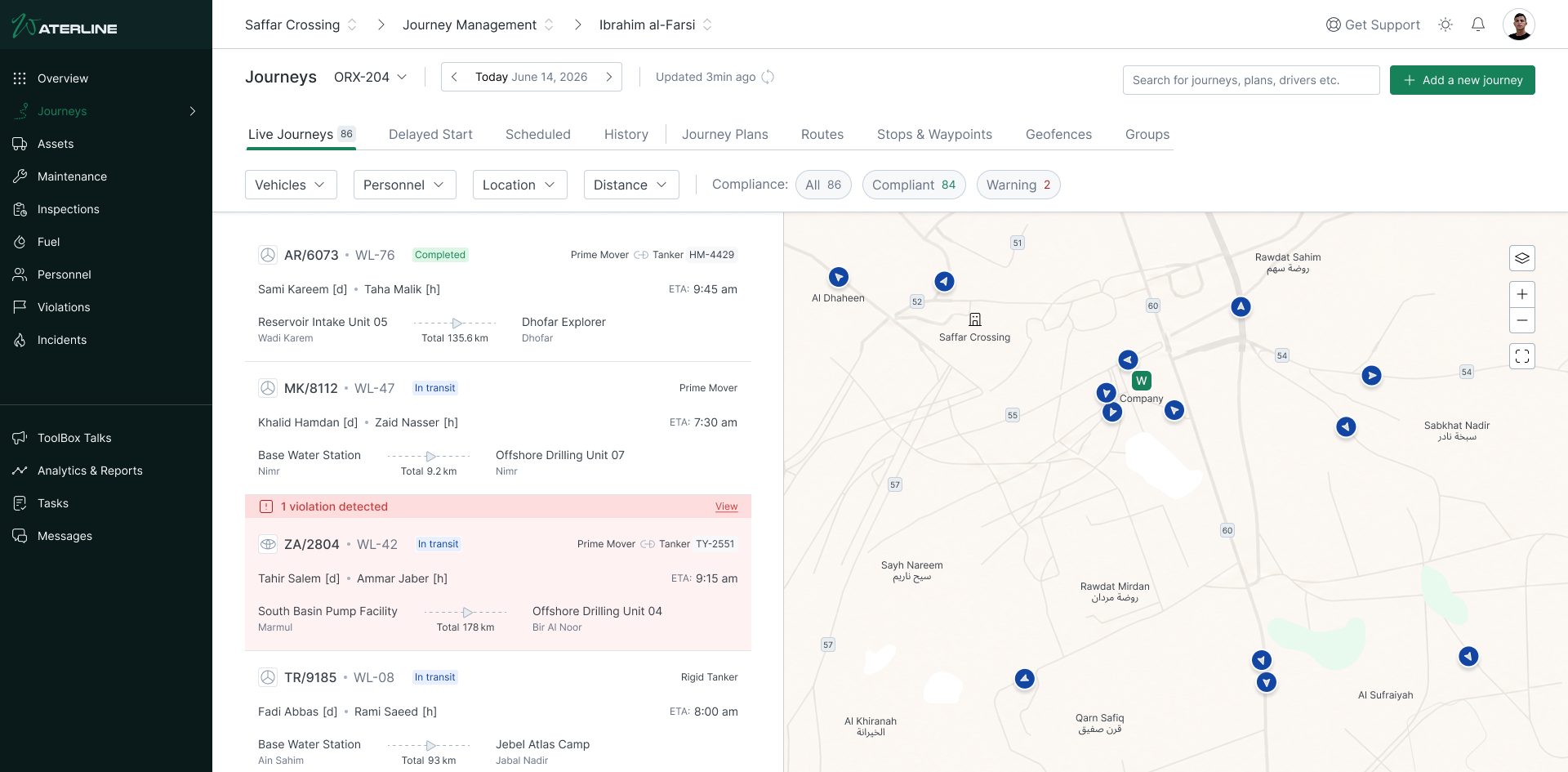
The system knows a violation occurred but the manager doesn’t necessarily know it happened. In the previous design, violations lived on a separate page. To check whether any violations had occurred, the manager had to leave the journey monitoring view and navigate to the violations page. This meant constantly switching between screens to understand what was happening on a journey and whether anything required attention.
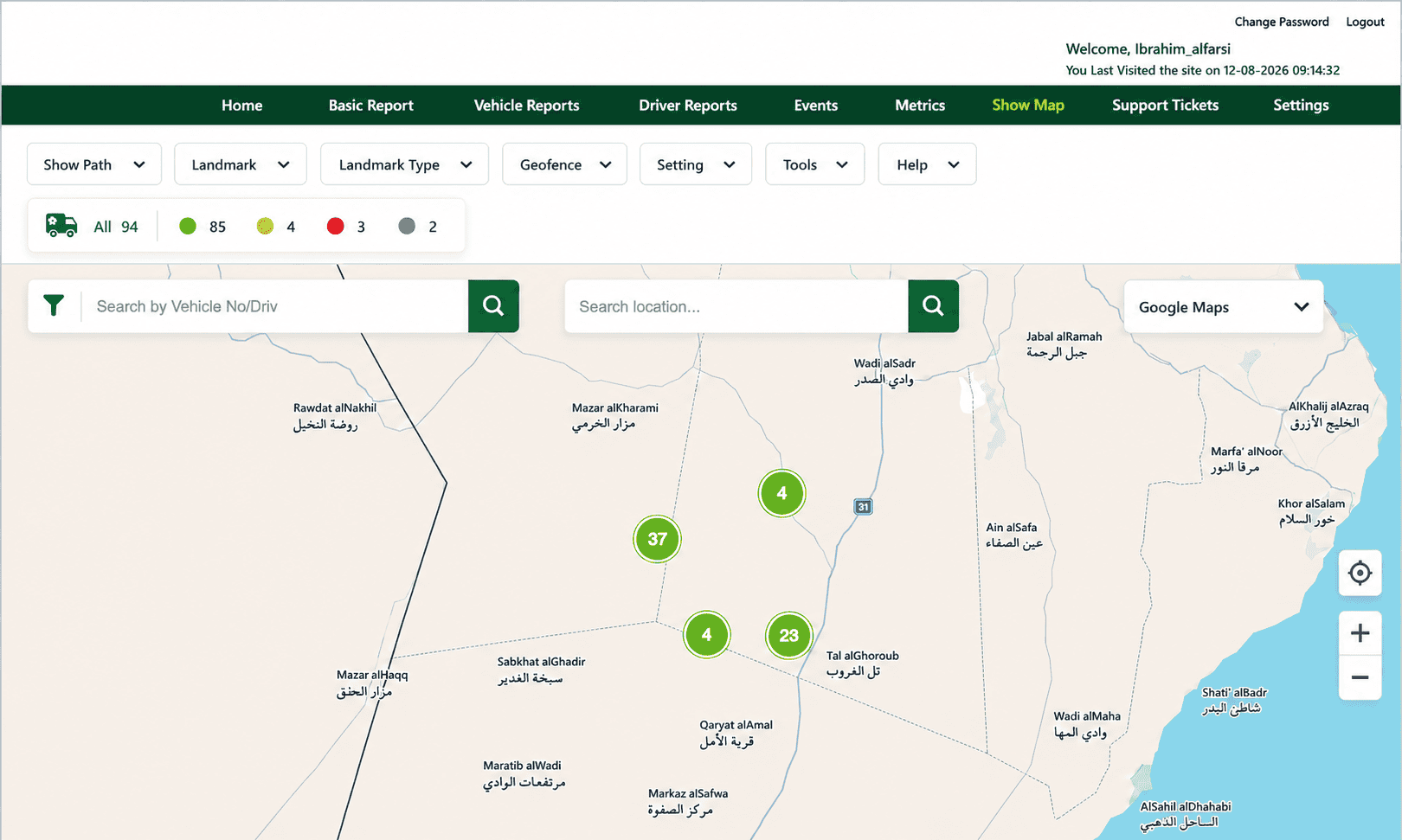
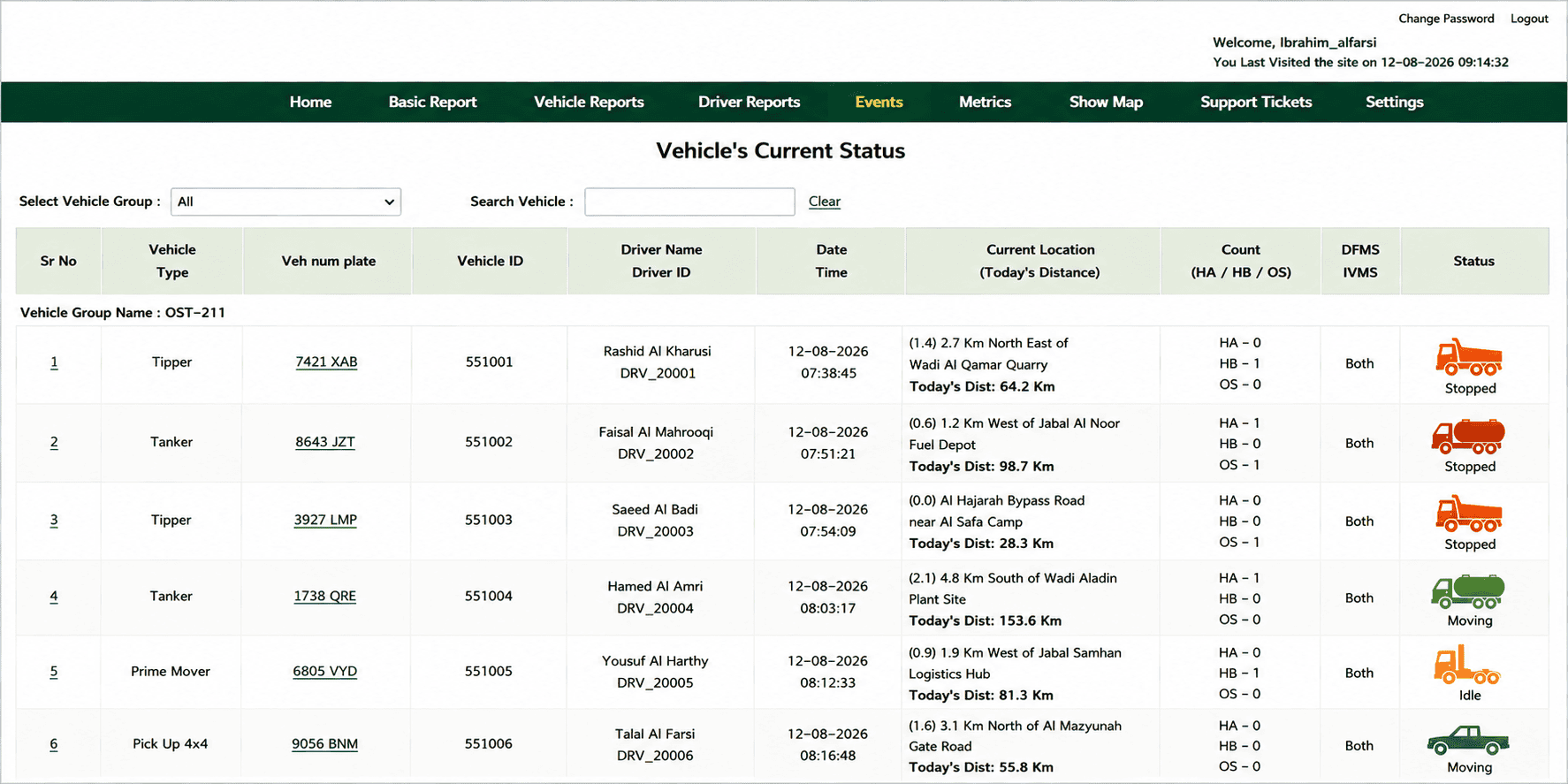
In the old design, the problem wasn’t that the system failed to capture violations – it already did that automatically. The problem was visibility. A violation could be detected in the background while the manager remained unaware of it unless they went looking for it actively.
This created an unnecessary break in the manager’s workflow:

I wanted to reverse this relationship. Instead of asking the manager to leave the journey to find violations, I wanted the violations to appear to the manager within the context of the journey they were already monitoring.
Bringing violations into the journey
This led to a few key questions:
Where should violations appear?
I could have designed the violations to appear as notification in the nav bar, or a toast message on screen. But they introduce more interruptions. The manager’s primary workspace was the journey map view, so this became the natural place to show them.
How should they be distinguished from the journey itself?
Violations needed to be immediately recognisable without competing with the route, vehicle and other map information.
How can the manager understand where the violation happened?
The location of an event is often as important as the event itself. The violation needed to be directly positioned along the journey itself.
How can multiple violations be handled?
A journey may contain several violations, so the experience needed to show multiple events without making the route difficult to follow.
The Solution
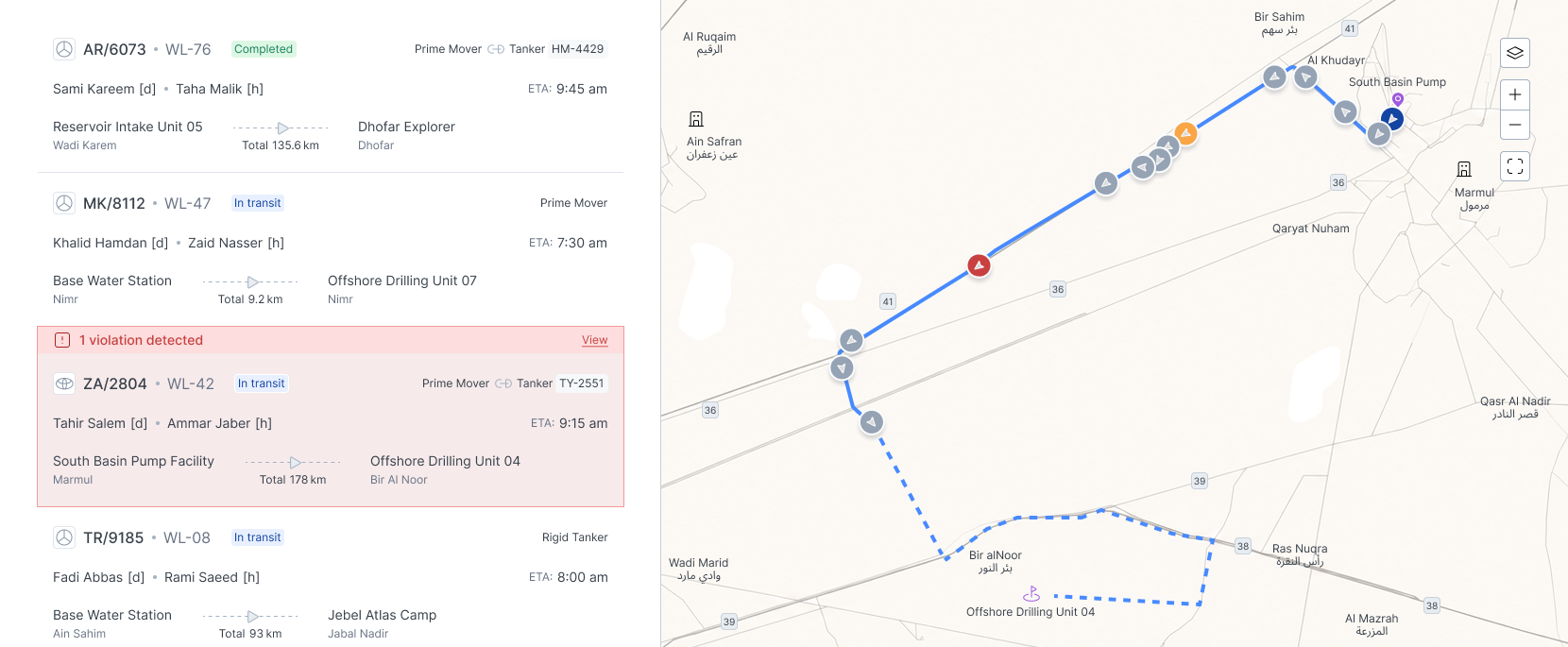
I introduced violation markers directly onto the journey route. This allowed managers to see that a violation had occurred and where it happened, without leaving the journey view.
The marker acted as an entry point rather than another layer of information competing for attention. Selecting one revealed a concise overview of the event, allowing the manager to quickly understand what had happened and decide whether it required further investigation.
This changed the workflow from searching for violations to being able to discover them naturally while monitoring a journey.

2. How do we provide context at a glance?
Making violations visible on the journey map solved one problem, but also introduced another: seeing a violation doesn’t necessarily tell the manager what happened.
A marker on the map can indicate that an event occurred, but the manager still needs basic context before deciding whether to investigate it further. At the same time, sending them directly to a detailed violation report for every event would create another unnecessary interruption to their workflow.
I therefore wanted the first interaction with a violation to answer the most important questions quickly:
What happened? Where did it happen? When did it happen? For how long did it happen?
Instead of exposing the entire violation record, I introduced a lightweight information layer that appeared when the manager interacted with a violation marker.
This overview pop-up surfaced key details needed to understand the event at a glance, including the violation type, time, speed and relevant journey information depending on the violation committed. It also provided a clear path to explore the violation further if required.
This created a useful distinction between awareness and investigation. The manager could quickly assess a violation without leaving the journey view, while events that required closer attention could be taken into the deeper investigation flow.
The result was a more focused interaction:

3. How do we design for deeper investigation?
The pop-up was designed to help the manager quickly understand a violation, but some incidents require more than a few key details. A manager may need to review evidence, understand the circumstances around the event, look at the driver’s history, or assess the vehicle’s context before deciding what action to take.
The challenge was to provide this additional information without forcing the manager into a completely different workflow every time they wanted to investigate an event.
I approached this by structuring the experience into layers of increasing detail. The initial violation pop-up provided enough information to make a quick assessment. However, if the manager wanted to investigate further, a bottom drawer opened within the journey map view, providing supporting evidence, relevant context and a few immediate actions; while keeping the journey itself accessible and in sight.
For cases requiring a more comprehensive review, the manager could then move to a fully dedicated violation report containing the complete set of information needed to assess the violation and determine an appropriate course of action.
This created a deliberate information hierarchy:

Each layer answered a different level of intent. The manager could stop as soon as they had enough information, rather than being forced to open a full report each time a violation occurred. The drawer and full report aren’t simply different UI components; they’re designed around how much information the manager needs at each stage of the decision-making process.
The result was a workflow that allowed managers to quickly assess routine violations while providing access to more information, when an incident required further investigation.
4. How do we turn insight into action?
The bottom drawer was designed to support quick decisions without requiring the journey manager to open the full report. From here, managers could already take immediate actions such as notifying the driver or assigning a reviewer/coach.
However, some violations require a deeper investigation before an appropriate decision can be made. In these cases, the manager could move from the drawer into a dedicated violation report, where the complete context of the incident was available.
The full report brought together the information needed to make a more informed assessment such as supporting evidence, driver and vehicle details, violation history and relevant safety scores etc. From there, the manager could take further action based on the circumstances of the incident, or dismiss the violation with a recorded reason.
This meant that action wasn’t tied to a single screen. Instead, actions were made available at different points in the journey, depending on the level of context required.
A manager could:

or, when more investigation was needed:

This allows managers to resolve straightforward violations quickly, while giving them the flexibility to investigate more complex incidents before making a decision.